Stable & reliable engine
JiNa OCR won't hang your system. Where unrecognised characters make other OCR tools stall or crash, JiNa keeps going and handles them gracefully.
Convert scanned PDF and images into editable Word, Excel, Text and HTML files. JiNa OCR keeps your fonts and layout, so you can start editing right away.
For Windows · Free trial converts up to 2 pages
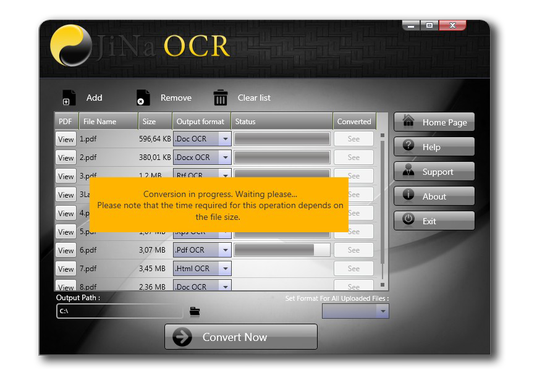
JiNa OCR won't hang your system. Where unrecognised characters make other OCR tools stall or crash, JiNa keeps going and handles them gracefully.
Every font in your document is recognised and kept in its original style. Process whole batches without fiddling with settings.
Broken letters, underlined text, poor scans: JiNa is optimised for accuracy, saving you time, effort and money.
From scanned old PDF books to recent digital photos. Export to DOC, DOCX, RTF, TXT, XLS, XPS, PDF and HTML.
No confusing options reserved for experts. Select your file, pick the output format, convert. That's it.
Preview your document and choose exactly which pages to convert, or convert the whole file by default.
Every OCR tool claims to be the fastest and most accurate. With no common testing standard in the industry, comparing them is hard, and many turn out to be unreliable on real-world documents.
JiNa OCR was developed with accuracy in mind. We keep improving our recognition engine so it can read even badly damaged text, and we are proud to offer a solution that is truly reliable.
I bought JiNa OCR for a single-use project, after trying a few other OCR tools. It was by far the most accurate of the tools I tried, with very high success rates on very poor input. I have used it a few times since and recommended it to others.
I had screenshots of websites and needed the descriptions on them to build a site. JiNa OCR made my day. I was amazed at how accurately it processed the images and produced all the text for my use.
I always wondered what it would be like to use my old handwritten notes and typewritten work in my classroom. Now I scan them, convert them to DOC and edit them. I used to do all this by hand. This software is surprisingly accurate.
Click any screenshot to enlarge it.
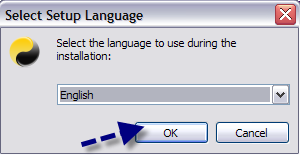
Open the downloaded JiNaOCR_Setup.exe, select your language and press OK.
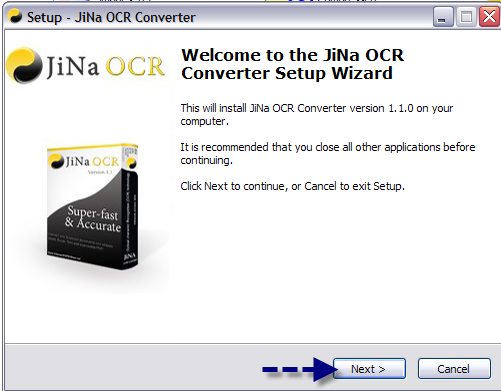
Click "Next" on the welcome screen.
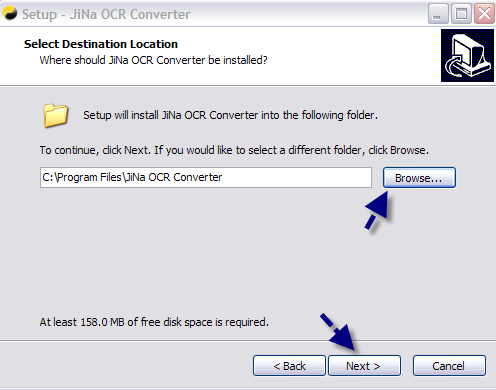
Change the destination folder with "Browse" if needed, then click "Next".
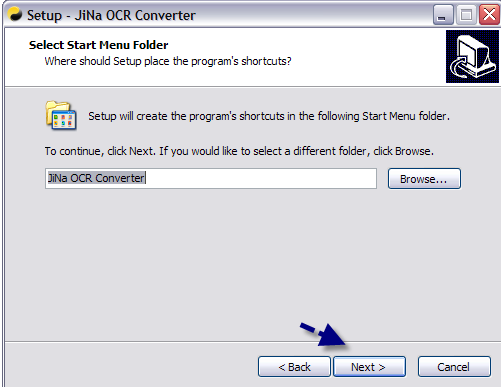
Choose the start menu folder and click "Next".
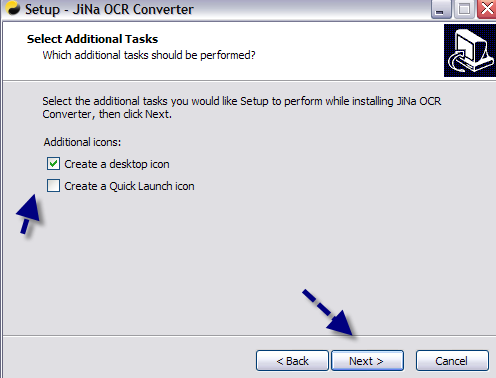
Tick the option if you want a quick launch icon, then click "Next" and "Install".
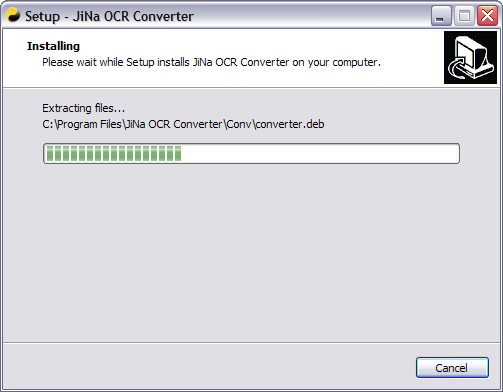
The installer copies the files and shows its progress.
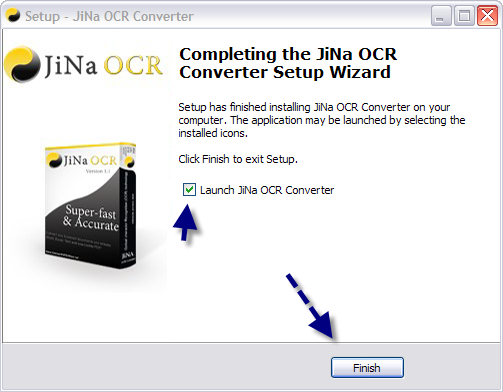
Click "Finish" and the converter starts right away.
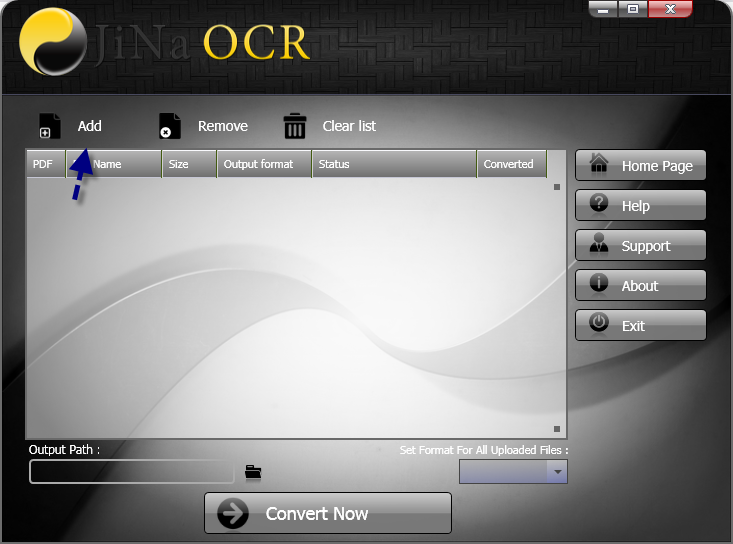
Start JiNa OCR and click the "Add" button.
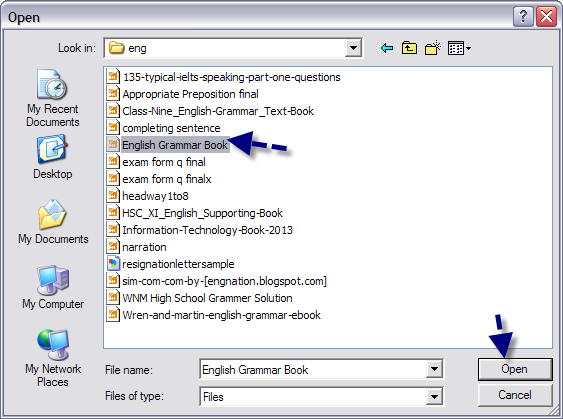
Choose a PDF or JPG file and click "Open".
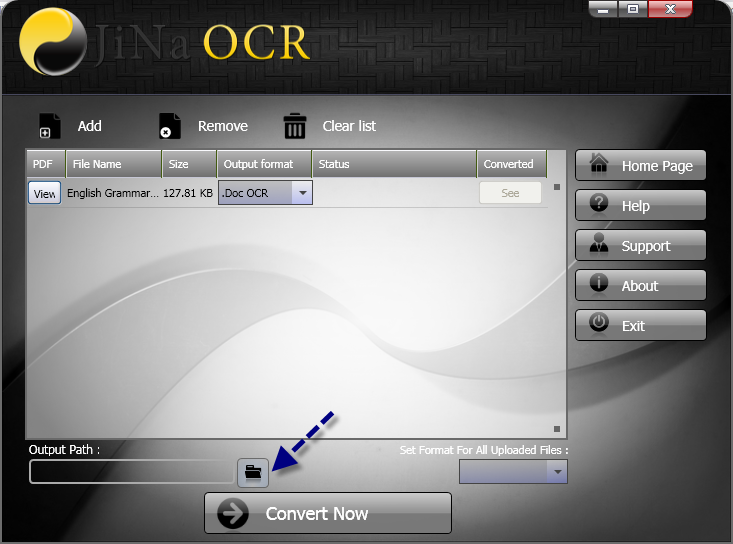
Select where converted files are saved. The default is your Desktop.
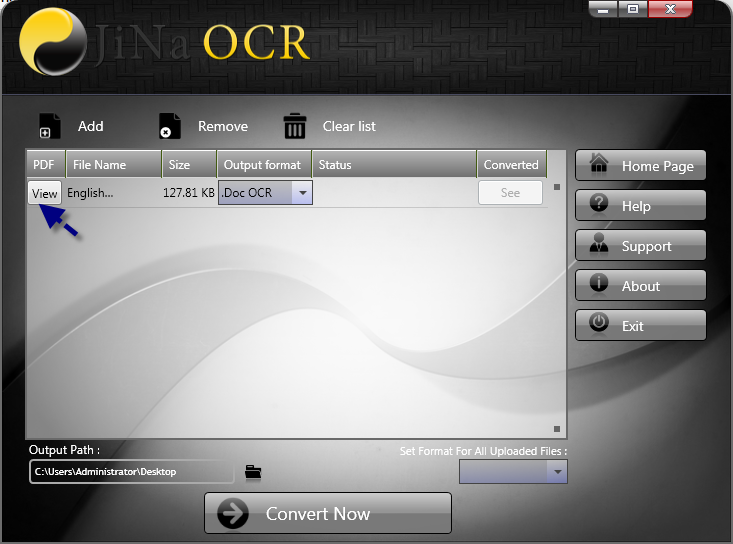
Press "View" to open the file you just selected.
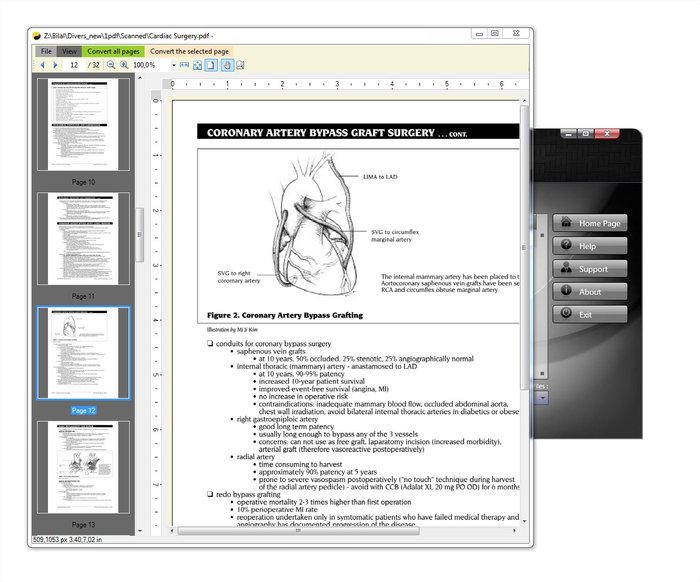
Pick the pages to convert, or leave it as is to convert the whole document.
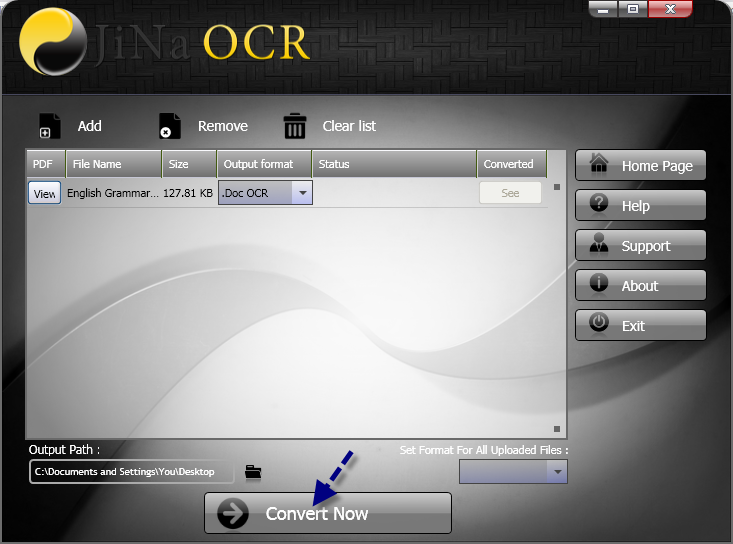
Select the output format and click "Convert Now".
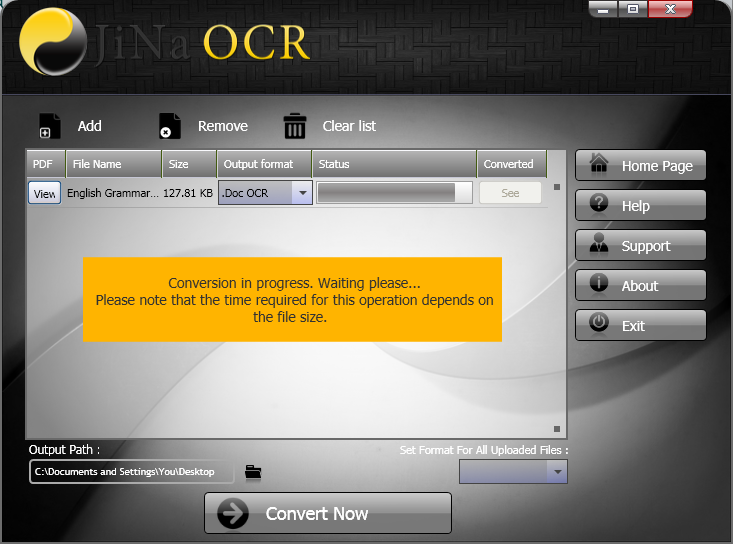
JiNa OCR shows the progress of the recognition.
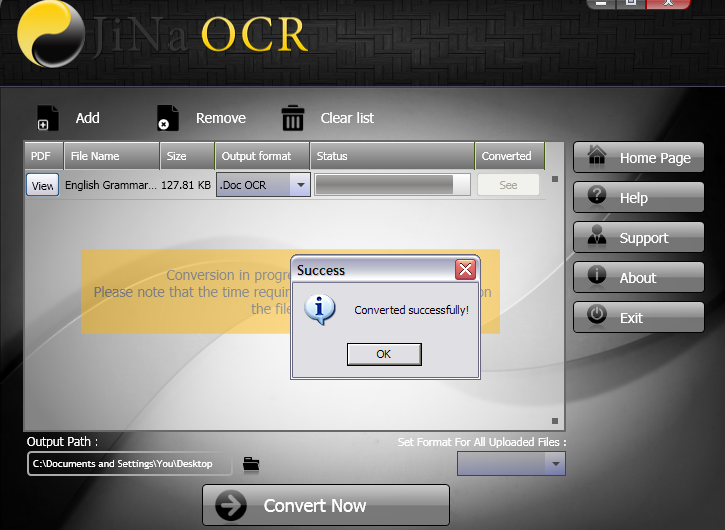
A confirmation message appears when the conversion is complete.
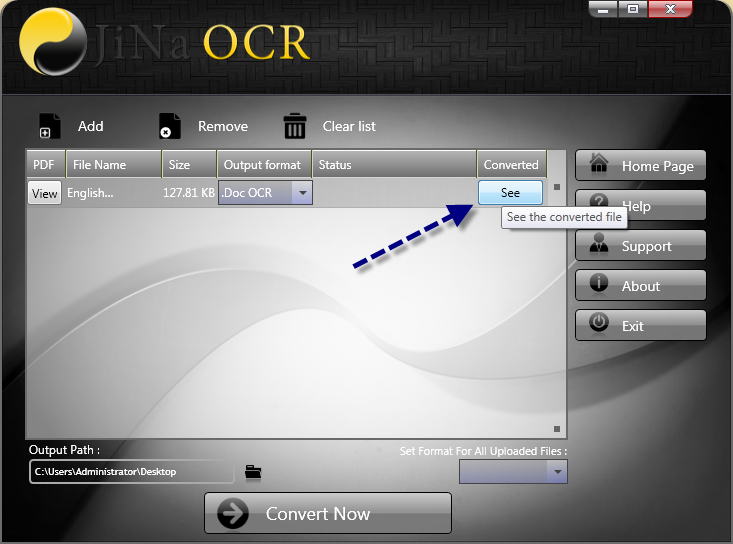
Click "See" to open the converted file and start working on it straight away.
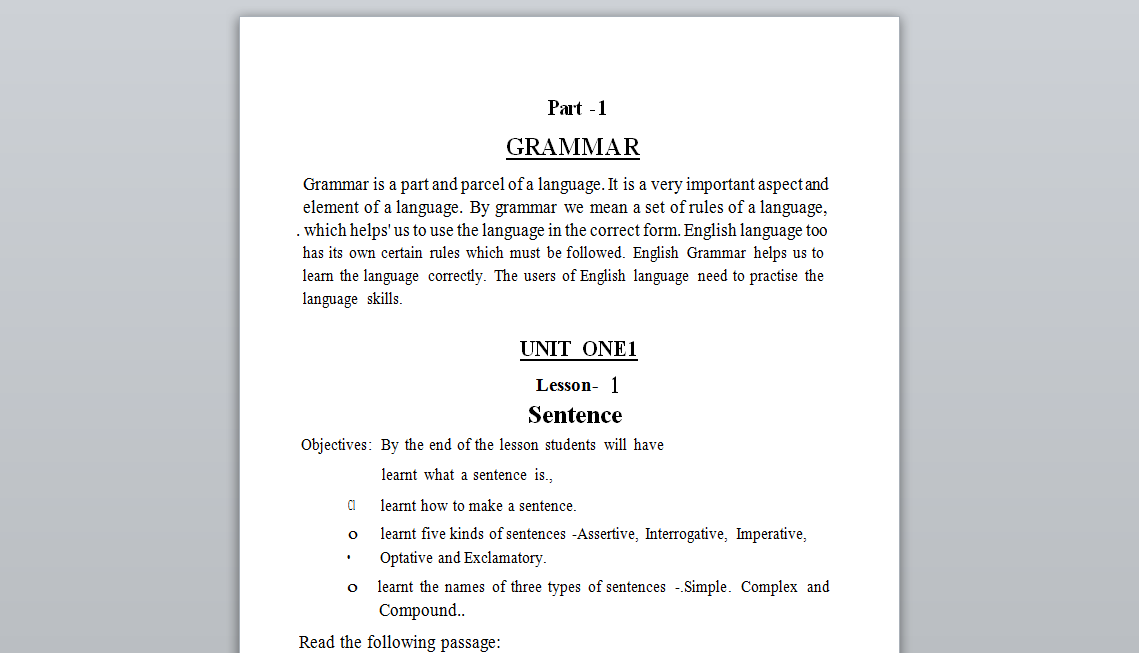
You can also open your output folder and open the file manually.
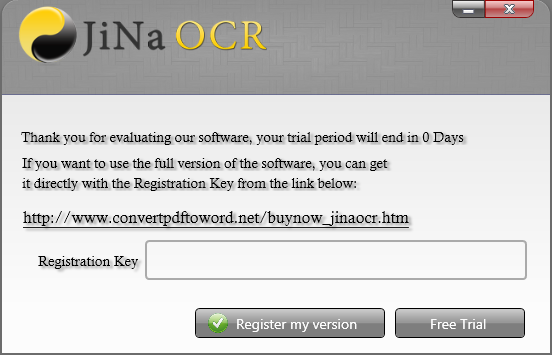
The trial converts up to 2 pages. Enter your serial on this screen to remove the limit.
Try JiNa OCR for free, then unlock unlimited pages for only $39.95.